Manufacturing Operations Management
Move every job through your own workshop stages, track outside finishing and hand finished work straight to delivery or pickup.
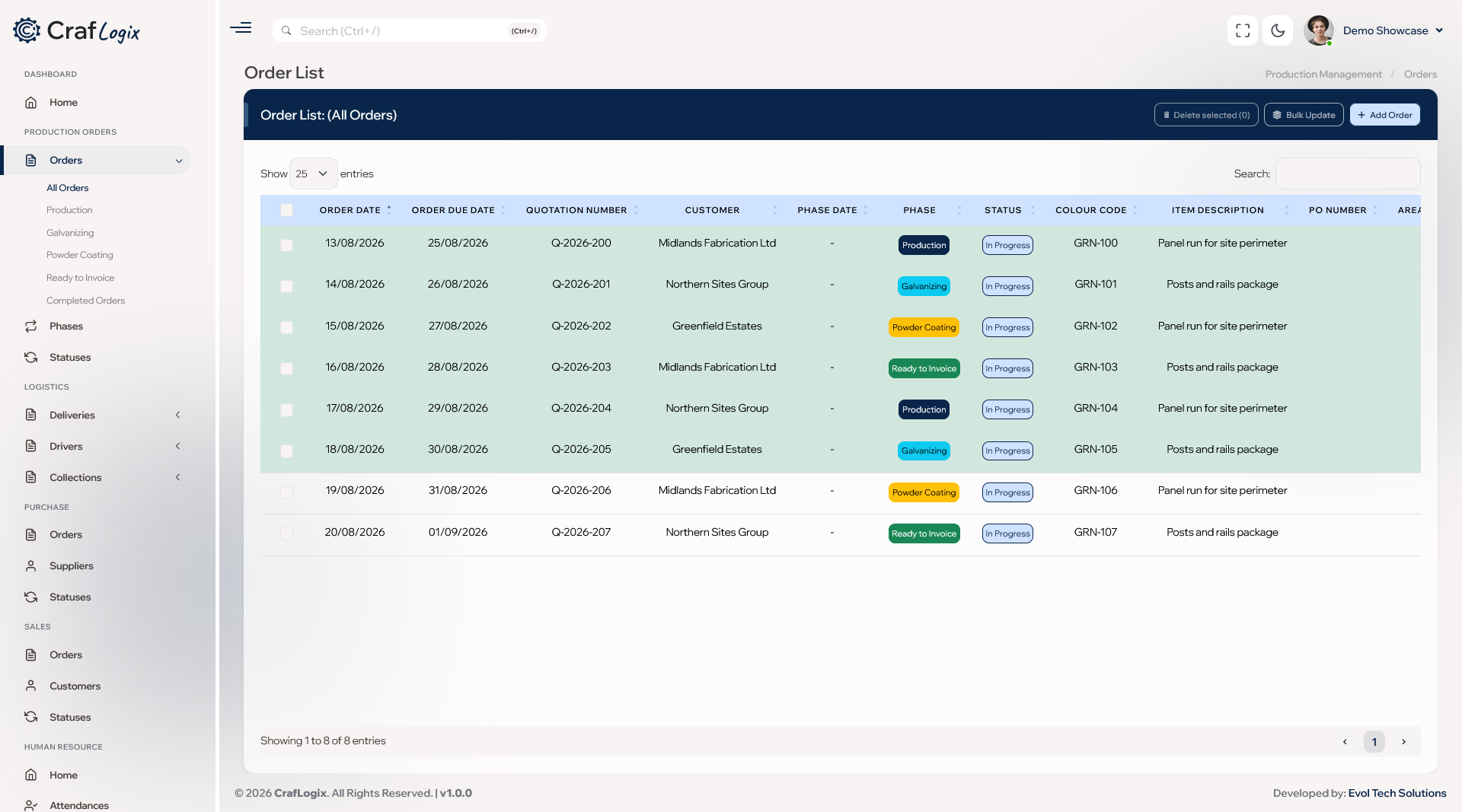
What you can do
- Take every job in with the customer, their PO number, your job reference or colour code, the start and due dates, and whether it's delivered or collected.
- Attach drawings and customer paperwork to the job, and list the items being made from your product list and recipes.
- Move jobs through your own stages and statuses, shown in colour, and make sure a stage can't be skipped when it matters.
- Let a job sit in more than one stage at once when different parts are being worked on, put it on partial hold, or mark it ready for invoicing.
- Move a whole batch of jobs at once and add comments as work moves along.
- Spot overdue, due-soon and Fast Track jobs at a glance, and search and sort your job list by any detail you record.
- Record outside finishing orders, such as galvanising and powder coating, against each job, and compare the materials planned for a job with what was actually used.
- When a job is complete, CrafLogix can create the delivery ticket or customer pickup for you, and you can print the delivery note.
Video walkthrough
Ask about Manufacturing
Tell us how your workshop runs and we'll show you how Manufacturing fits.