Logistics & Delivery Management
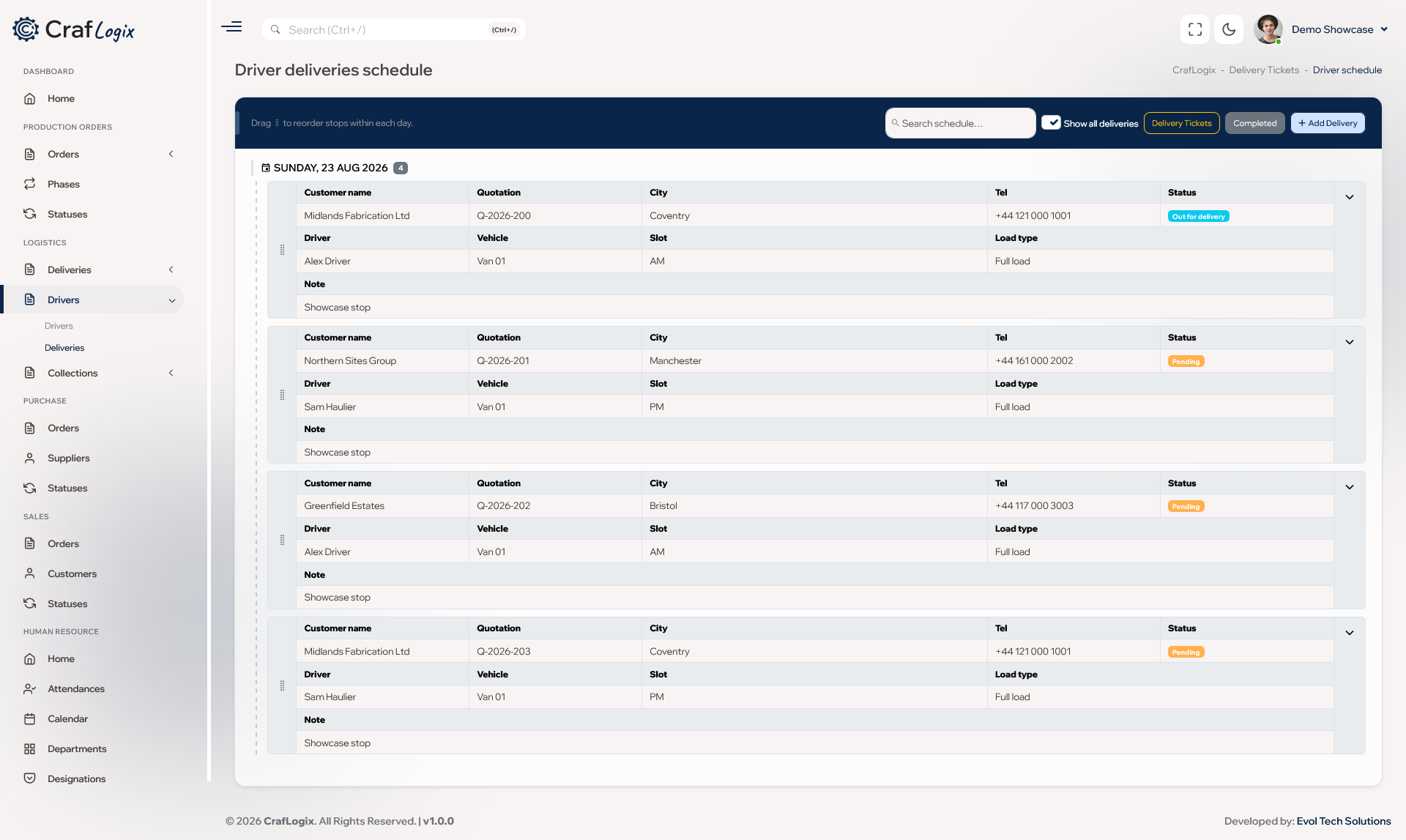
Give every delivery its own delivery ticket and organise each day on a drag-and-drop driver schedule, linked back to the job.
What you can do
- Give every delivery its own delivery ticket with the address, contact details, special instructions, preferred time slot and the dates the customer is available.
- See whether each delivery is open, scheduled, delivered or cancelled, and whether the customer has confirmed.
- Put delivery tickets onto the daily driver schedule with a driver, vehicle, time slot and type of load.
- Drag each day's stops into the right order, and CrafLogix stops the same time slot being booked twice.
- Change the date in a couple of clicks, or take a delivery off the schedule with a short note so it goes back to the open list, ready to rebook.
- Cancel a scheduled delivery with a reason, and it comes off the driver schedule.
- Mark a stop as delivered in one click, and the delivery ticket and the job are updated too.
- Keep notes and a full history on every delivery ticket, and search your past deliveries whenever you need them.
Video walkthrough
Ask about deliveries
Tell us how you run deliveries today and we'll show you how Logistics & Delivery fits.