Every job, from the shop floor
to your customer
Business software for workshops and manufacturers: see where every job is, line up deliveries and pickups, and keep staff, stock, sales and accounts in one place.
Your jobs, your stages
Jobs move through your own workshop stages, from cutting to quality check. Overdue and Fast Track jobs stand out in colour, so nothing slips.
See Manufacturing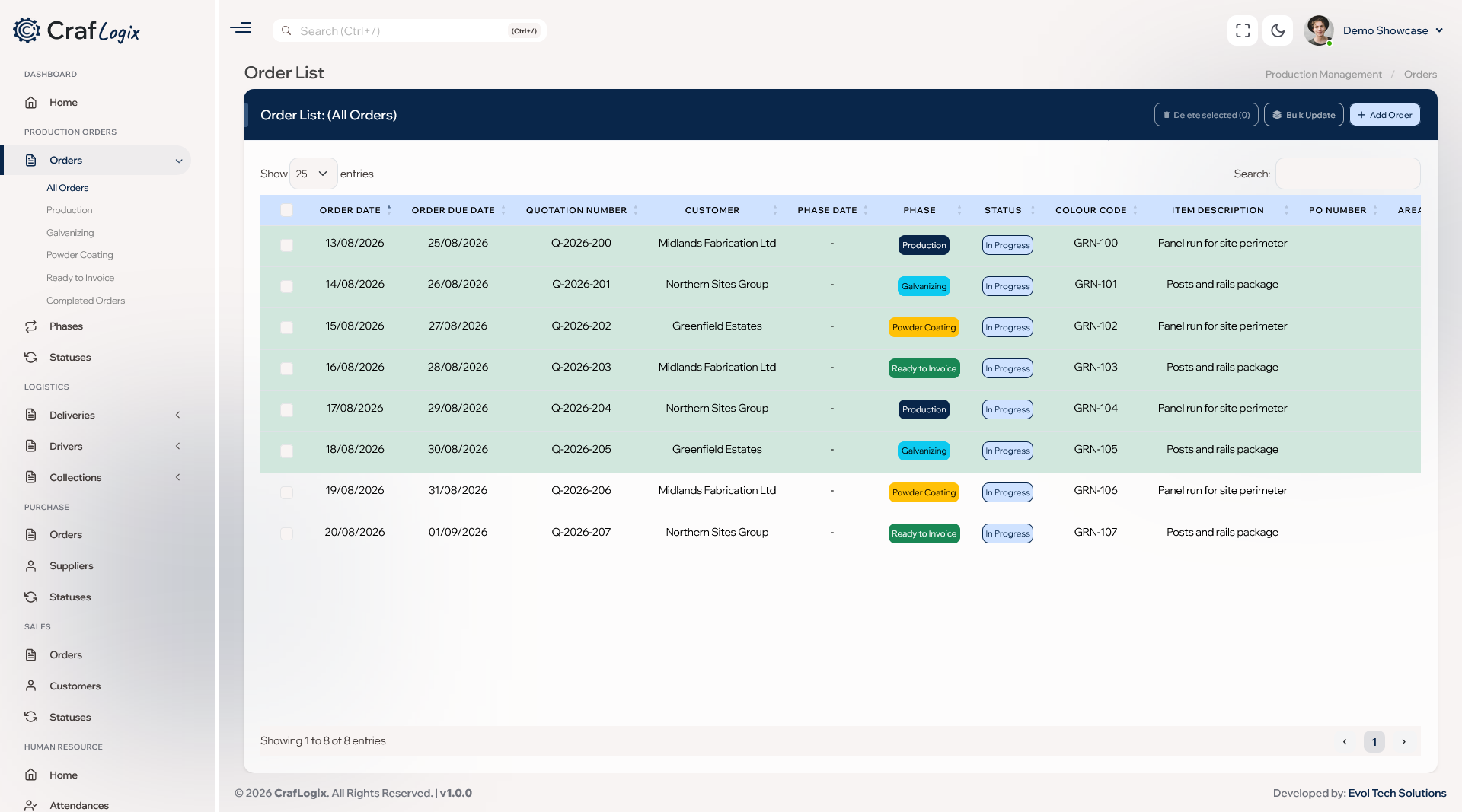
Deliveries linked to the job
When a job is finished, the delivery ticket or customer pickup is created for you, with the customer details carried across. Your dispatcher then books it onto the daily driver schedule.
See Logistics & Delivery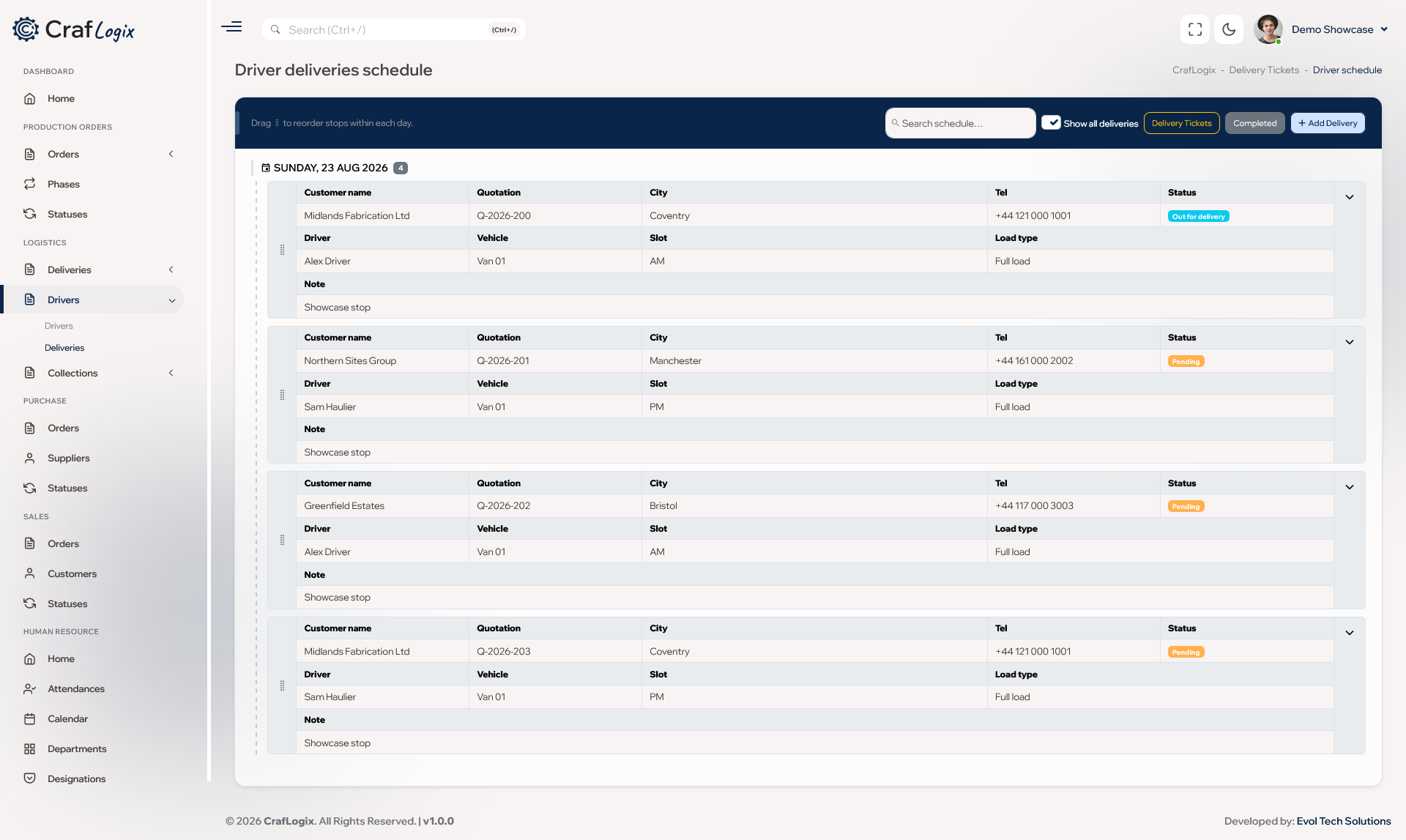
Built around the way your business already works
Stop chasing jobs between the office, the shop floor and the delivery van.
Your own private workspace
Your information stays private to your business and is only visible to your people.
Only the parts you need
Choose the solutions your business needs and add more whenever you're ready.
Tailored to how you work
CrafLogix can be tailored to fit your business, so you don't have to change the way you work.
From order to delivery
Take the job in, move it through your stages, then hand it to delivery or pickup without typing it twice.
Choose the solutions your business needs
Start with the parts you need today and add more as your business grows.
A job from start to finish
Here's how a job travels through CrafLogix, from the first order to the final drop-off.
1. Take it in
Record the customer, their PO number, the due date and the items, and attach the drawings.
2. Move through stages
Move the job through your own workshop stages, one job or a whole batch at a time.
3. Track outside finishing
Record galvanising or powder coating orders against the job and mark each one complete.
4. Complete the job
Mark it complete and CrafLogix can create the delivery ticket or customer pickup for you.
5. Schedule the driver
Book the delivery onto the daily driver schedule with a driver, vehicle and time slot.
6. Mark it delivered
One click marks the stop as delivered and updates the delivery ticket and the job together.
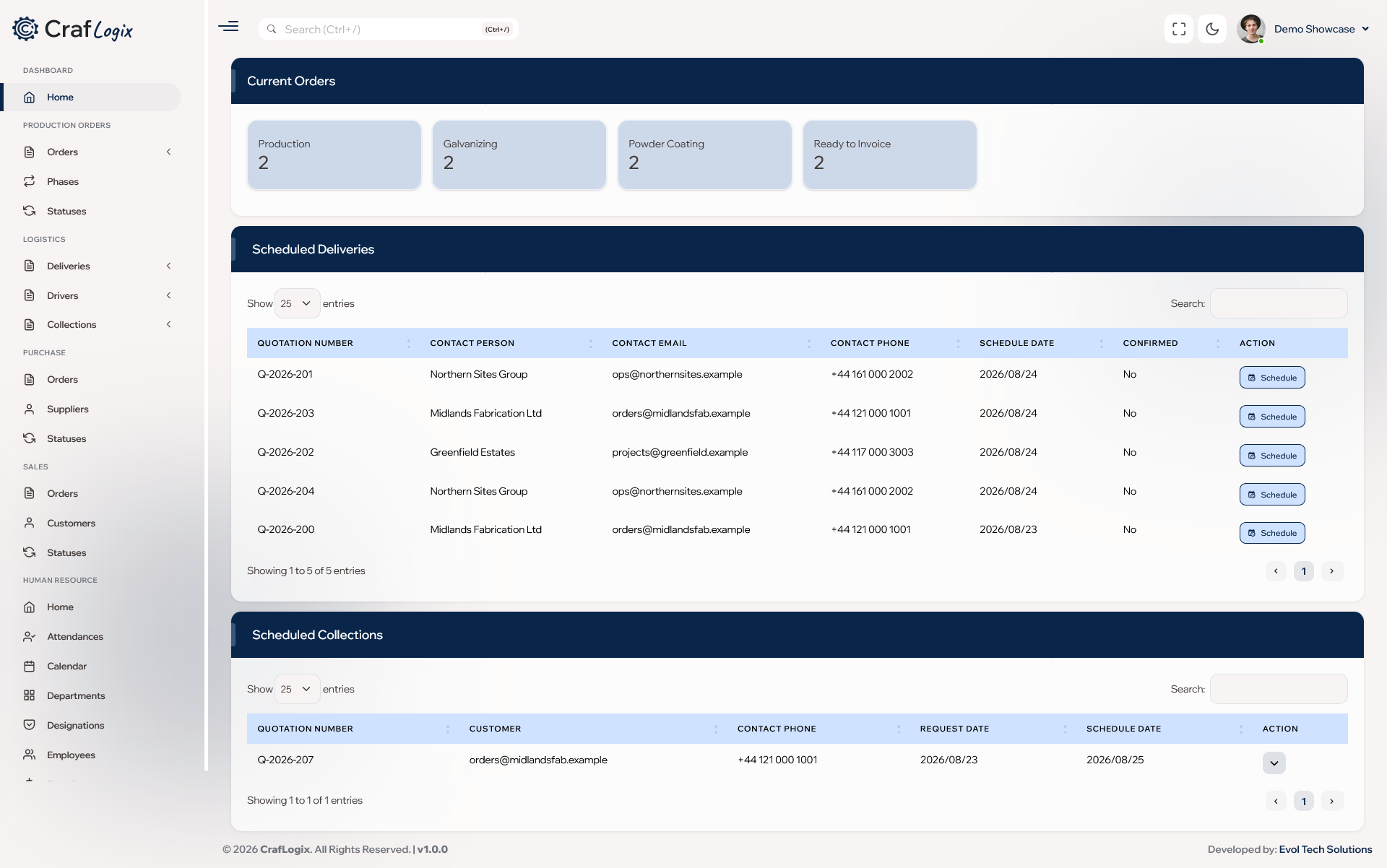
See CrafLogix at work
A quick look at the screens your team will use every day.
Built for everyone on your team
Whatever your job, CrafLogix shows you what you need to get on with your day.
See every job and the stage it's at, and move a whole batch of jobs in one go. You always know which outside finishing orders are still open.
Build each day's driver schedule, drag stops into the right order and see every driver's runs in one place. The same time slot can't be booked twice.
Check stock levels for each location and record adjustments with a reason. See what came in, what went out and why.
See how the business is doing at a glance and spot the jobs that need attention. Keep sales, buying and accounts in the same place.
Ready to see every job, from order to delivery?
Book a demo to see how CrafLogix fits your workshop, or start a free trial and explore on your own.